
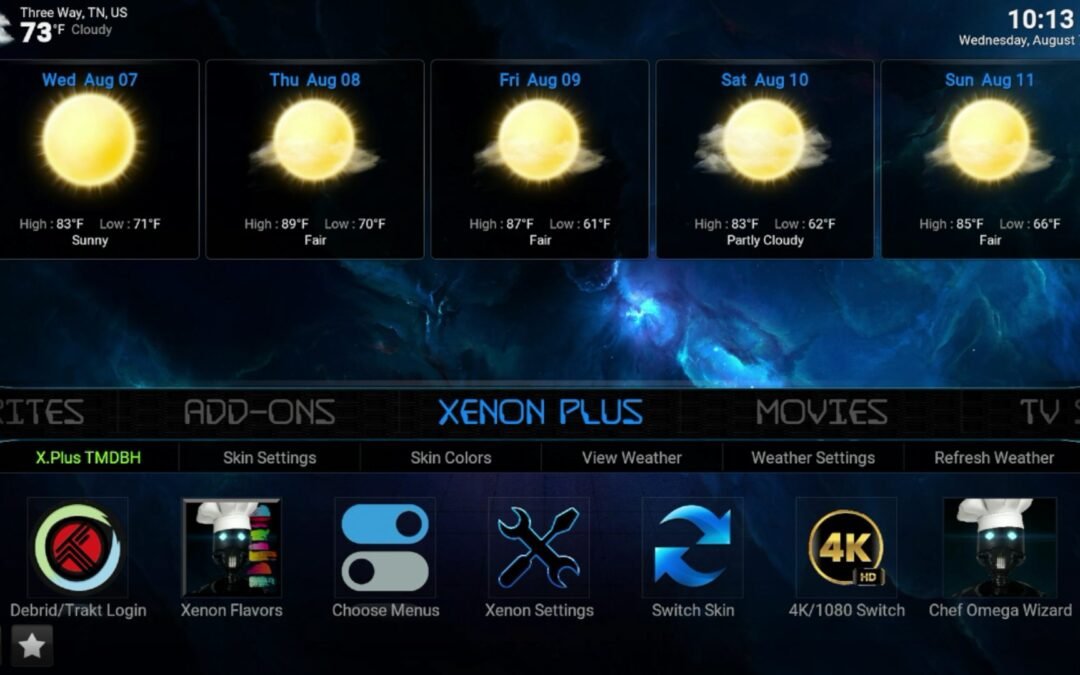
How to Install Kodi (Step-by-Step) + Best Tips, Tricks,

Kodi is a free, open-source media center that turns almost any device into a powerful home theater. You can use it to organize your movies, TV shows, music, photos, and even stream content from legitimate online sources. Many people love Kodi because it’s lightweight, customizable, and works on almost every platform you can think of.
Before you install Kodi, it’s important to know that Kodi itself is completely legal software. What matters is how you use it and which add-ons you install. Sticking to the official Kodi version and legitimate add-ons ensures the best performance, reliability, and safety.
Use a VPN with all Apps.
Anyone can see you: 209.107.214.158
Open your Phone’s Camera App and scan this code
ALL NEW PRICING get IPVANISH today!


Led By The Unknown is supported by its audience. When you purchase through links on our site, we may earn an affiliate commission. Learn More
How to Install Kodi on Popular Devices
Android TV / Google TV / Android phones & tablets
The easiest method is through the Google Play Store. Open the Play Store, search for “Kodi,” and tap Install. Once installed, open Kodi and allow storage permissions when prompted so it can access your media.
Amazon Fire TV / Firestick
Since Fire TV devices don’t have the Google Play Store, Kodi is installed using the Downloader app.
Install the Downloader app from the Amazon Appstore.
Go to Settings → My Fire TV → Developer Options and allow Downloader to install apps.
Open Downloader and visit the official Kodi download page.
Download the Android (ARM) version of Kodi and install it.
Open Kodi and complete the first-run setup.
Windows PC
Visit the official Kodi website, download the Windows installer, run it, and follow the setup prompts. After installation, open Kodi and point it to your media folders.
Mac
Download the macOS version from Kodi’s website, open the file, and drag Kodi into your Applications folder. Launch it and approve any security prompts from macOS.
Linux
Kodi is available in many Linux repositories and via Flatpak. The official Kodi site has distro-specific instructions that make installation straightforward.

Download Kodi
Latest version
Best Kodi Tips and Tricks
1. Keep Kodi Fast and Smooth
Kodi runs best when your device has a strong internet connection. If possible, use Ethernet instead of Wi-Fi. Also, avoid installing dozens of add-ons you don’t use, as they can slow down startup time.
2. Use Kodi as a Media Library
Kodi shines when you use it to organize your own movies and TV shows. Add your folders to Kodi’s library and let it download artwork, summaries, and posters automatically. This gives you a Netflix-style interface for your personal collection.
3. Customize the Interface (But Keep It Light)
Kodi allows custom skins, but heavy skins can slow down older devices like Firesticks. The default skin is fast and clean. If you change skins, choose lightweight ones.
4. Set Up Subtitles
Kodi has built-in subtitle support. You can configure subtitle services in the settings so subtitles download automatically when needed.
5. Back Up Your Kodi Build
Once you have Kodi set up the way you like it, use a backup add-on from the official repository to save your configuration. This saves hours if you ever need to reinstall.
6. Clear Cache Occasionally
Over time, thumbnails and temporary files can build up. Clearing cache helps keep Kodi responsive, especially on devices with low storage.
7. Learn the Power of Add-ons (From Official Sources)
Kodi’s official repository includes YouTube, podcast players, radio stations, weather tools, and more. These safe add-ons add real functionality without slowing your system down.
Common Issues and Quick Fixes
Buffering: Usually caused by slow internet or overloaded Wi-Fi. Try Ethernet or lowering stream quality.
Kodi running slow: Too many add-ons, heavy skins, or low storage space. Remove unused add-ons and clear cache.
No sound: Check Kodi’s audio output settings and make sure the correct device is selected.
A Little History of Kodi
Kodi started in 2002 as XBMC (Xbox Media Center). It was originally designed to turn the first Xbox into a media hub for playing videos and music. As the project grew, developers expanded it beyond the Xbox, and it became one of the most popular open-source media center applications in the world.
In 2014, XBMC was officially renamed Kodi to reflect that it had evolved far beyond its Xbox roots. Today, Kodi runs on Windows, Mac, Linux, Android, iOS (with limitations), and many streaming devices. It remains community-driven, constantly updated, and completely free to use.
Kodi’s longevity and popularity come from one thing: flexibility. Whether you’re organizing a home movie library or streaming from legitimate services, Kodi can be tailored exactly to how you like your entertainment setup.
Kodi is powerful, simple once set up, and one of the best tools for anyone who wants full control over their media experience.
Here’s a quick bio for Lee Jackson:
Lee Jackson is a tech expert who loves to help people understand how technology works. He writes for the blog ledbytheunknown.com, where he has been sharing his tips and reviews about the latest gadgets since 2010. Lee knows a lot about technology, and he is great at explaining things in a way that’s easy to understand. Whether it’s figuring out how to use a new device or learning about the newest tech, Lee is always ready to teach and help his readers.
https://www.youtube.com/@LeeJackson2323
https://www.youtube.com/@streamdirect106
https://rumble.com/user/leejackson
https://www.facebook.com/LedByTheUnknown/
https://www.tiktok.com/@leejackson2424
Related Articles

Downloads
25+ Best APK's available for Download in 2026 Welcome to the Led by the Unknown download page, where we bring you the Best Apps for Movies, TV Shows, Live TV, and Live Sports! You can always count on us to bring you the most dependable alternatives for streaming...

Download BeeTV
How to Install and Download BeeTV on the Amazon Firestick in 30 Seconds! Scroll down and click the Download BeeTV icon to get this software for either your Firestick or Android device. BeeTV, is a video-on-demand program, allowing you to watch the newest movies...

How To Install TeaTV On Firestick, Fire TV, & Android TV
How To Install TeaTV V10.8.2 On Firestick, Fire TV, & Android TV This guide details the installation process for TeaTV on Firestick, Fire TV, and Android TV/Google TV devices. The latest version, V10.8.2, was released on April 8, 2024. TeaTV is a free...
How to Install Flix Vision App
How to Install Flix Vision on Firestick or Android TV – 2025 UpdateHow to Install Flix Vision on FireStick for Free This easy guide from shows you how to put the Flix Vision app on Firestick, Android TV, and other devices. What is Flix Vision?Flix Vision is a simple...
How to Install Live Net TV for Free Live TV
Check out how to install Free Live TV and Stream Live TV online, with your Amazon Fire TV Stick or any Android Device to install the best apps quickly and start watching Live TV from anywhere, including PPV. All FREE, right to your Amazon FireStick or Android...
How to Install SportsFire
Install Sportsfire on the Amazon Firestick This guide will teach you how to install SportsFire to Stream Live Sports online, with your Amazon Firestick, Fire Cube, Nvidia Shield, Android box or any Android Device. Install the best apps quickly and start watching Live...
Stay Up to Date With The Latest News & Updates
How to install Streamfire on the Amazon Firestick
How To Install StreamFire On any Firestick, Fire TV, & Android TV This guide details the installation process for the new StreamFire app on the Amazon Firestick, Fire TV, and Android TV/Google TV devices. The latest version, V1, and is a Free IPTV App...
Best Apps Downloads
25+ Best Apps available for Download in June 2024 Welcome to the Led by the Unknown download page, where you can find the Best Apps for Movies, TV Shows, Live TV, and Live Sports! You can always count on us to bring you the most dependable alternatives for streaming...
Best Downloads
25+ Best Apps available for Download in June 2024 Welcome to the Led by the Unknown download page, where you can find the Best Apps for Movies, TV Shows, Live TV, and Live Sports! You can always count on us to bring you the most dependable alternatives for streaming...

Your writing has a way of resonating with me on a deep level. I appreciate the honesty and authenticity you bring to every post. Thank you for sharing your journey with us.
Thank you I have just been searching for information approximately this topic for a while and yours is the best I have found out so far However what in regards to the bottom line Are you certain concerning the supply
Real Estate Hi there to all, for the reason that I am genuinely keen of reading this website’s post to be updated on a regular basis. It carries pleasant stuff.
Attractive section of content I just stumbled upon your blog and in accession capital to assert that I get actually enjoyed account your blog posts Anyway I will be subscribing to your augment and even I achievement you access consistently fast
Hi Neat post Theres an issue together with your web site in internet explorer may test this IE still is the marketplace chief and a good component of people will pass over your fantastic writing due to this problem
I do believe all the ideas youve presented for your post They are really convincing and will certainly work Nonetheless the posts are too short for novices May just you please lengthen them a little from subsequent time Thanks for the post
Its like you read my mind You appear to know a lot about this like you wrote the book in it or something I think that you could do with some pics to drive the message home a little bit but instead of that this is fantastic blog An excellent read I will certainly be back
Technoob I very delighted to find this internet site on bing, just what I was searching for as well saved to fav
I just could not depart your web site prior to suggesting that I really loved the usual info an individual supply in your visitors Is gonna be back regularly to check up on new posts
Thank you for your sharing. I am worried that I lack creative ideas. It is your article that makes me full of hope. Thank you. But, I have a question, can you help me?
I loved as much as youll receive carried out right here The sketch is tasteful your authored material stylish nonetheless you command get bought an nervousness over that you wish be delivering the following unwell unquestionably come more formerly again since exactly the same nearly a lot often inside case you shield this hike